
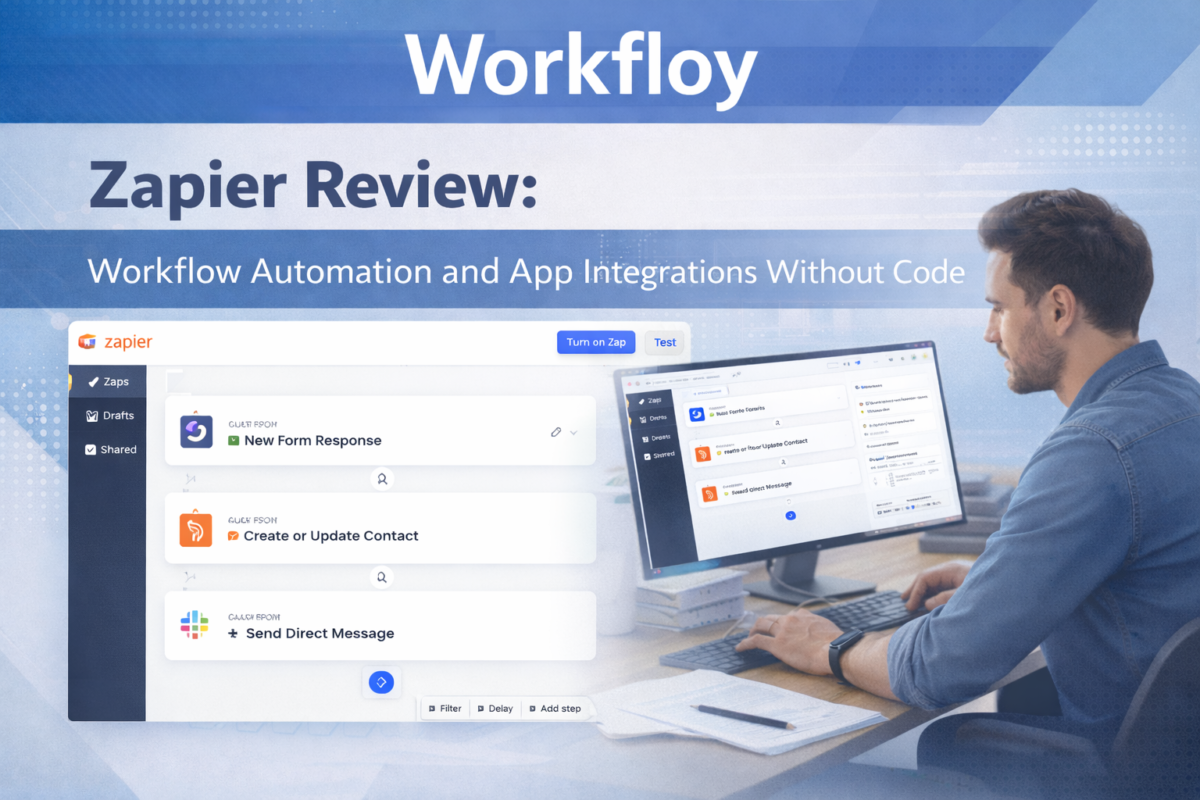
Modern teams rely on dozens of apps to manage work, data, and communication. As these tools multiply, manual handoffs between systems become a major source of inefficiency and error.
Zapier addresses this problem by enabling users to automate workflows between apps without writing code. By connecting triggers and actions across thousands of tools, Zapier helps teams move information automatically, reduce repetitive tasks, and keep workflows running in the background.
What is Zapier?
Zapier is a no-code automation platform that connects different apps and services through automated workflows called “Zaps.” Each Zap is built around a simple logic: when something happens in one app, Zapier performs an action in another app.
The platform is widely used by marketers, operations teams, founders, and small businesses to automate routine processes such as lead handling, notifications, data syncing, and task creation.
How Zapier Works
Zapier’s automation model is based on triggers and actions:
- A trigger occurs in one app (for example, a new form submission).
- Zapier detects the event.
- One or more actions are executed in other apps (such as adding a contact to a CRM or sending a Slack message).
More advanced workflows can include filters, conditional logic, delays, and multi-step actions, allowing teams to build increasingly complex automation without technical expertise.
How teams actually use Surfer SEO
Surfer SEO is most effective when treated as a decision-support layer within a structured content workflow rather than as a scoring tool to be maximized mechanically. High-performing teams use it to validate direction, identify gaps in topical coverage, and prioritize refinements after editorial intent has already been defined.
In practice, Surfer’s value comes from translating live SERP patterns into actionable guidance while still leaving room for human judgment. When integrated into an iterative drafting and review process, it helps improve alignment with search expectations without reducing content to formulaic optimization.
Core Capabilities
App Integrations at Scale
Zapier supports integrations with thousands of apps across marketing, sales, productivity, finance, and development. This breadth makes it a central automation layer for many teams.
No-Code Workflow Builder
The platform is designed for non-technical users, with a visual interface that makes it easy to create, test, and deploy automations without programming knowledge.
Multi-Step Automations
Beyond simple one-to-one connections, Zapier allows users to build multi-step workflows that chain together several actions across different tools.
Conditional Logic and Filters
Users can add logic to workflows so actions only run when specific conditions are met, increasing precision and reducing unnecessary automation.
Typical Use Cases
Lead Management and Marketing Automation
Zapier is commonly used to route leads from forms into CRMs, email platforms, and spreadsheets, ensuring faster follow-up and cleaner data.
Internal Workflow Automation
Teams automate repetitive internal tasks such as task creation, status updates, notifications, and file management across tools.
Data Syncing Between Apps
Zapier helps keep data consistent by syncing contacts, records, and updates between systems that do not natively integrate.
Operations and Admin Automation
Operations teams use Zapier to automate reporting, approvals, and routine administrative processes that would otherwise require manual effort.
Where Zapier Is Not the Best Fit
Zapier is not designed for:
- Highly technical, infrastructure-level automation
- Custom scripts requiring deep logic or heavy computation
- Real-time automation with extremely low latency requirements
For advanced engineering workflows, developer-focused automation tools may be more appropriate.
Zapier vs Developer-Oriented Automation
Compared to code-based automation platforms, Zapier prioritizes:
- Accessibility over flexibility
- Speed of setup over deep customization
- Broad integrations over low-level control
This makes Zapier especially effective for business users, but less suitable for teams needing full programmatic control.
Who Should Use Zapier?
Zapier is a strong fit for:
- Non-technical teams automating everyday workflows
- Marketing, sales, and operations professionals
- Founders and small teams connecting multiple SaaS tools
- Organizations looking to reduce manual processes quickly
Who Should Consider Alternatives?
You may want a different tool if:
- Your workflows require complex logic or custom code
- You need self-hosted or infrastructure-level automation
- You want deeper technical control over execution
Final Assessment
Zapier remains one of the most accessible and widely adopted workflow automation platforms available. While it is not built for highly technical automation, its ease of use, extensive app ecosystem, and reliable execution make it a practical choice for teams looking to automate work without engineering overhead.